DRAFT
DRAFT
Draft Legal Documents.
Never Start From a Blank Page.
Draft Legal Documents.
Never Start From a Blank Page.
Never Start From a Blank Page. Draft Legal Documents.
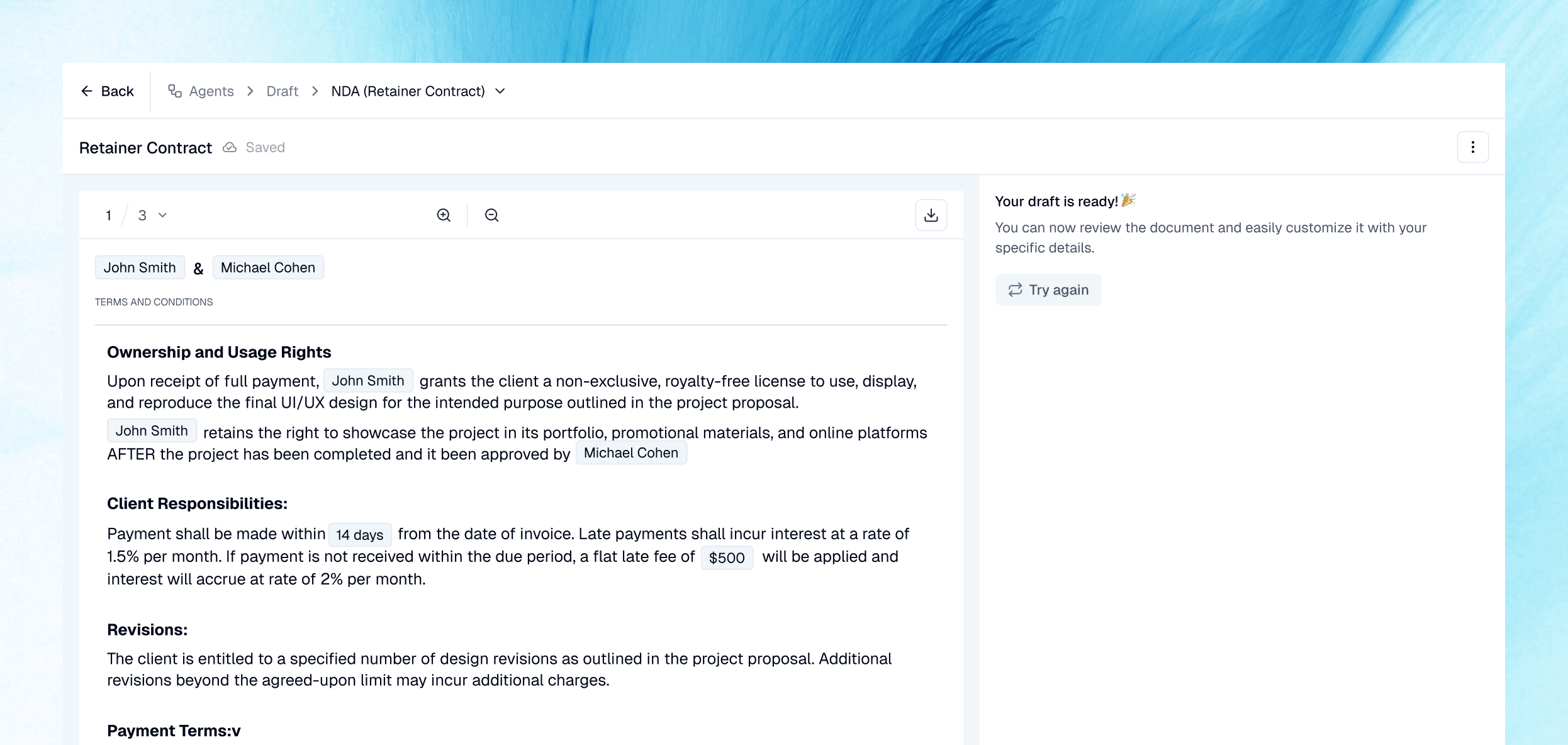
Describe what you need or start from an existing template. CogniSync produces a structured first draft using your facts,
preferred language and drafting instructions. Review, refine and download a document that already feels like your work.
Describe what you need or start from an existing template. CogniSync produces a structured first draft using your facts, preferred language and drafting instructions.
Review, refine and download a document that already feels like your work.
Describe what you need or start from an existing template. CogniSync produces a structured first draft using your facts, preferred language and drafting instructions. Review, refine and download a document that already feels like your work.
How It Works
How It Works
How It Works
Create a new document from a written request or use an existing precedent as the foundation.
Create a new document from a written request or use an existing precedent as the foundation.
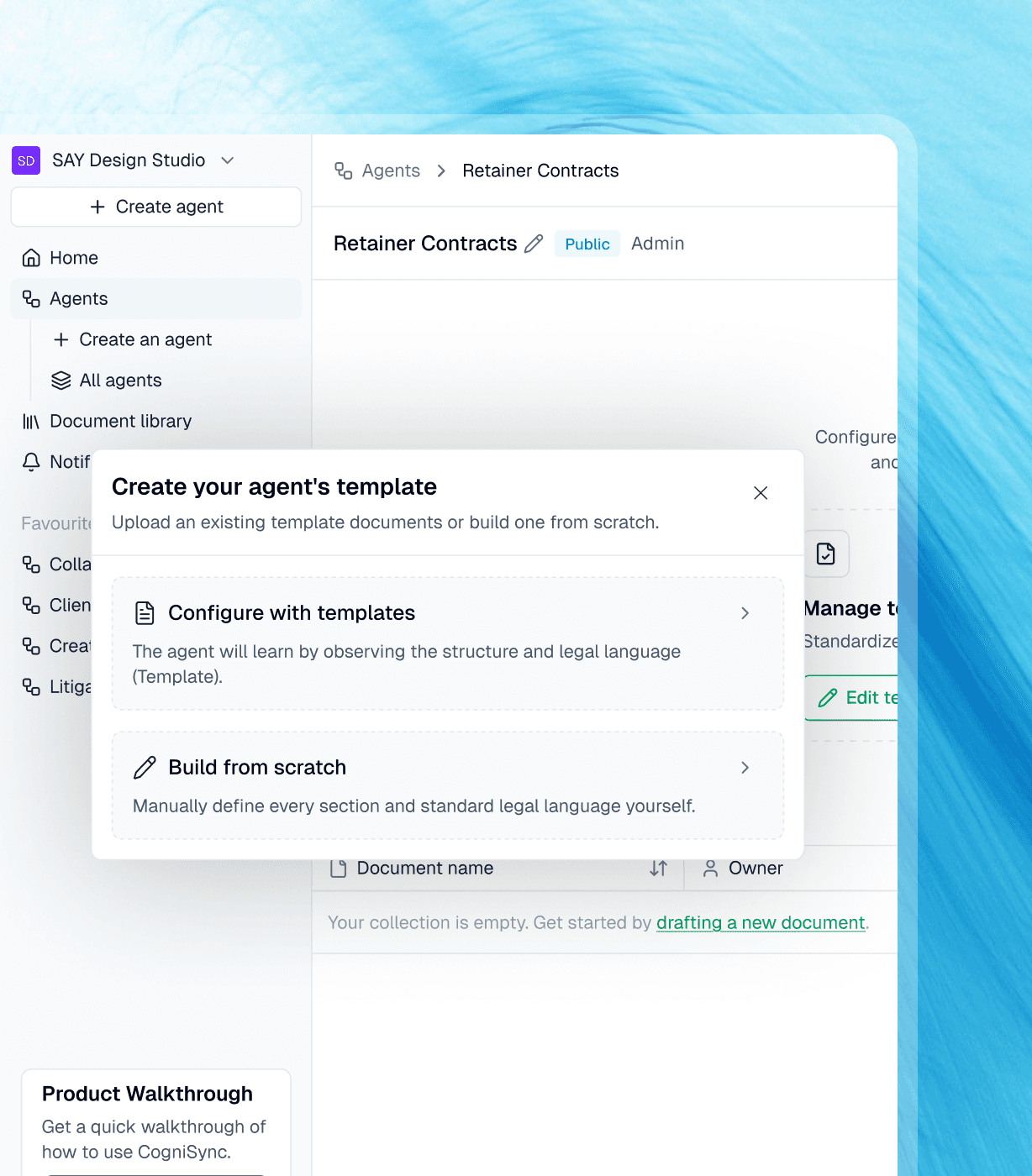
Draft from a request or template
Draft from a request or template
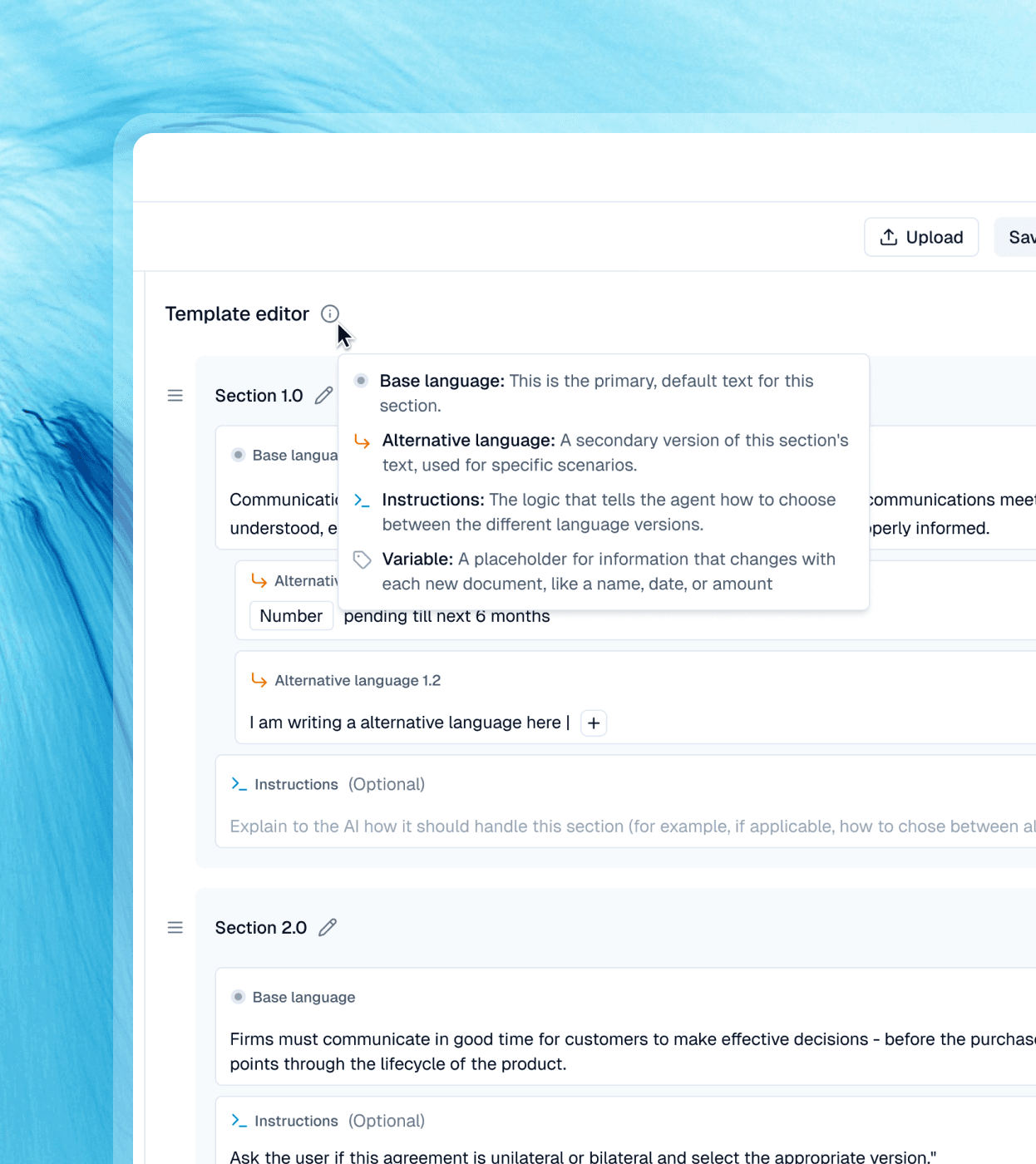
Tell CogniSync what you need, who the parties are and what the document should achieve. It turns those instructions into a complete first draft.
Tell CogniSync what you need, who the parties are and what the document should achieve. It turns those instructions into a complete first draft.
Extract the variables automatically
Extract the variables automatically
CogniSync identifies the information required and helps populate names, dates, commercial terms and other key details.
CogniSync identifies the information required and helps populate names, dates, commercial terms and other key details.
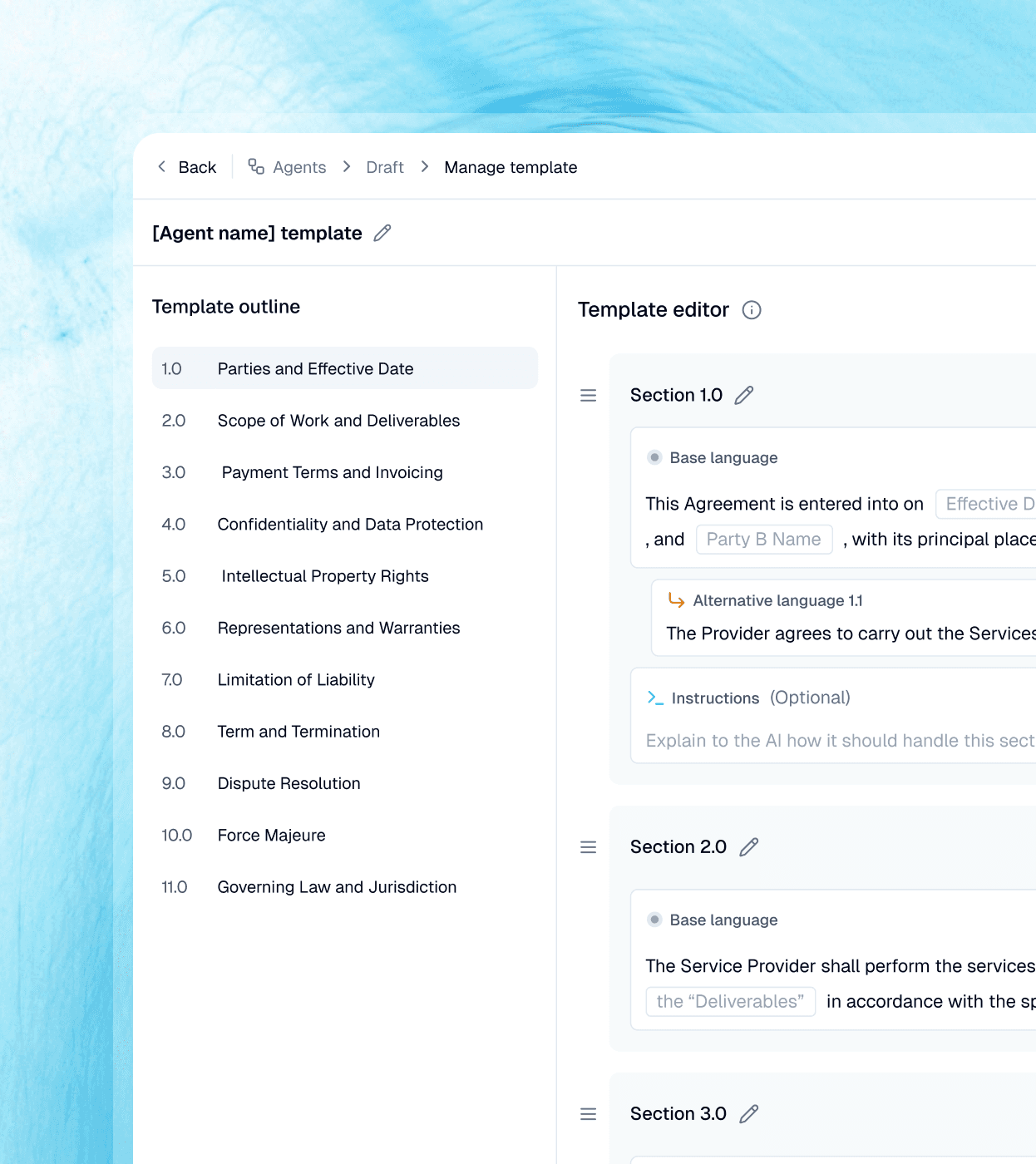
Collaborative drafting using precedents
Collaborative drafting using precedents
Start from an approved template or previous agreement so the structure, language and formatting remain familiar - delegate with ease, while maintaining control.
Start from an approved template or previous agreement so the structure, language and formatting remain familiar - delegate with ease, while maintaining control.
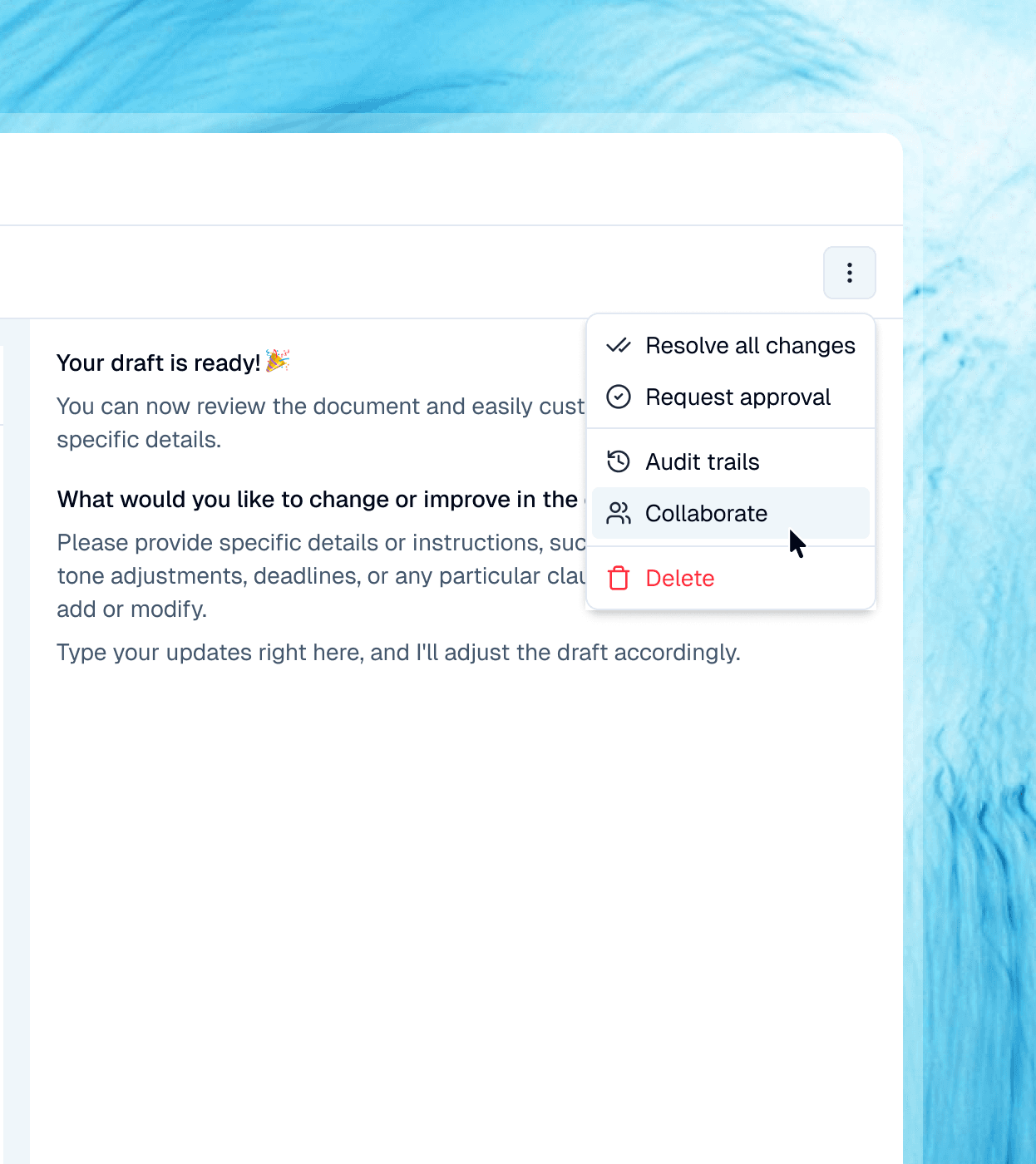
Refine without rewriting
Refine without rewriting
Ask for alternative clauses, change the tone or update individual provisions while preserving the rest of the document.
Ask for alternative clauses, change the tone or update individual provisions while preserving the rest of the document.

Hello 👋🏻 I’m Luca from CogniSync
Let me know if you have any questions about CogniSync
Hello 👋🏻 I’m Luca from CogniSync
Let me know if you have any questions about CogniSync
FAQs
FAQs
Frequently Asked Questions
Frequently Asked Questions
Show Us What You Draft Repeatedly.
We’ll Show You a Faster First Draft.
Show Us What You Draft Repeatedly.
We’ll Show You a Faster First Draft.

Whether you’re exploring AI for the first time
or looking to scale legal work, we're here to help:

Head Office
1111B S Governors Ave, STE 20703, Dover,
DE 19904
© CogniSync Inc. All rights reserved.

Whether you’re exploring AI for the first time
or looking to scale legal work, we're here to help:
Head Office
1111B S Governors Ave, STE 20703, Dover,
DE 19904
© CogniSync Inc. All rights reserved.
Whether you’re exploring AI for the first time or looking to scale legal work, we're here to help:
Head Office
1111B S Governors Ave, STE 20703, Dover,
DE 19904
© CogniSync Inc. All rights reserved.
Whether you’re exploring AI for the first time or
looking to scale legal work, we're here to help:
Head Office
1111B S Governors Ave, STE 20703, Dover,
DE 19904
© CogniSync Inc. All rights reserved.